All league communication happens on Discord. Join our server and introduce yourself in the Driver Introduction channel. After you did this, complete the following steps.
Join DiscordTo complete your sign up you need to download the CEC Driver Control.
Sign up with your exact LMU Name and the league password cec.
Go to the sign up tab in the Driver Control and set your session as the checklist requires. In session, drive 1 outlap and 5 laps.
For more info see the Sign Up Regulations.
Your result will appear in the Sign Up Standings within minutes of completing your laps. You can re-run to improve your time before the deadline.
The Season 5 pre-qualifying window opens on 26 June at 6:00 PM CET and closes on 7 July at 12:00 AM CET. No submissions will be accepted after the window has closed. All sign-up runs submitted after the deadline will also count as runs.
Drivers will be ranked on the Sign-Up Standings page on the CEC website based on their average lap time submitted during the pre-qualifying window.
Drivers may submit as many attempts as they wish during the pre-qualifying window. Any runs using game bugs, flaws, or exploits will be invalid. This includes excessive tyre warming through actions not normally permitted on outlaps, such as doughnuts. Driver Control will automatically invalidate runs where tyre temperatures on the outlap have been manipulated.
Drivers may update their submitted time at any point during the window, but only with a faster lap time. A slower lap cannot replace an existing submission.
Once a driver is placed inside the top 100 of their class for the WEC Experience, or inside the top 25 for the Apex300 eSport Series, their submitted time is locked and can no longer be updated.
Drivers may only complete runs in one class, as each driver may only compete in a single class throughout the season — either Hypercar or LMGT3.
A Change Class button is available in the Sign-Up tab of Driver Control. Using this button will permanently delete all previously submitted runs for that driver and allow them to begin sign-up for a different class. This action cannot be undone.
Drivers are permitted to race a different car during the season than the one used in their sign-up run.
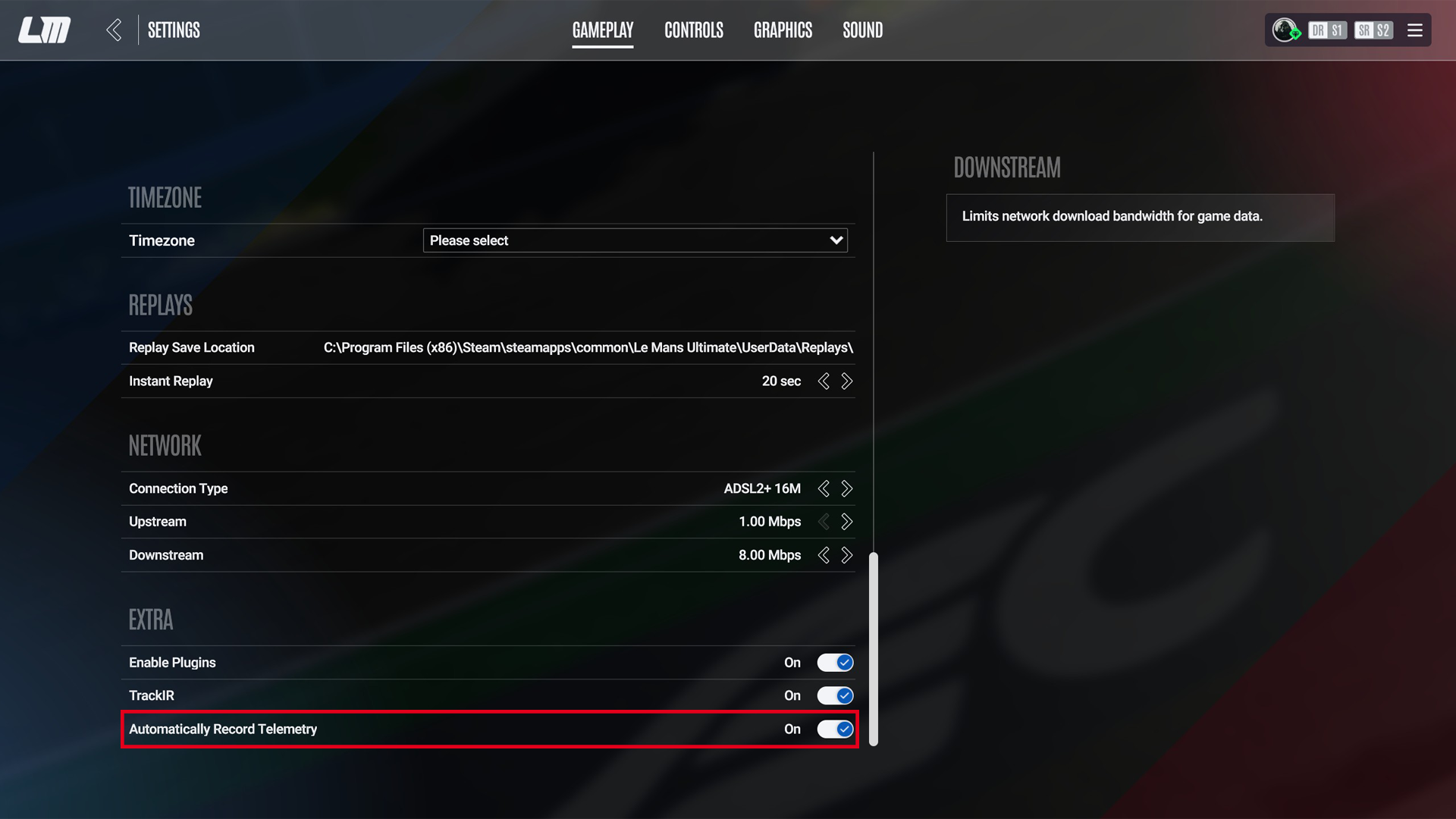
Before starting a sign-up run, drivers must ensure that in-game telemetry recording is enabled. This can be found under:
Settings → Gameplay → Automatically Record Telemetry → On
All sign-up runs must be submitted through the Driver Control application. After downloading and launching the program, drivers log in using their in-game LMU username and the league password CEC.
To begin the sign-up process, navigate to the Sign-Up tab within the application.
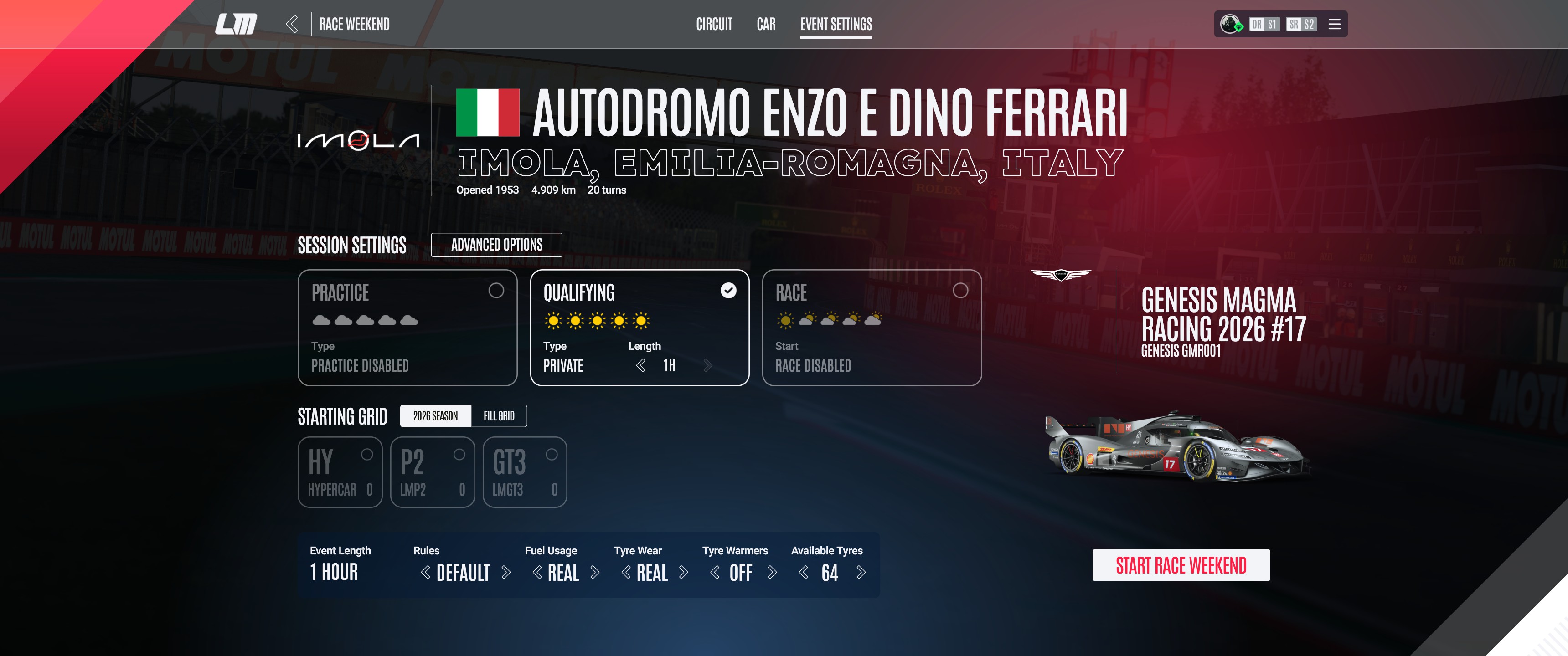
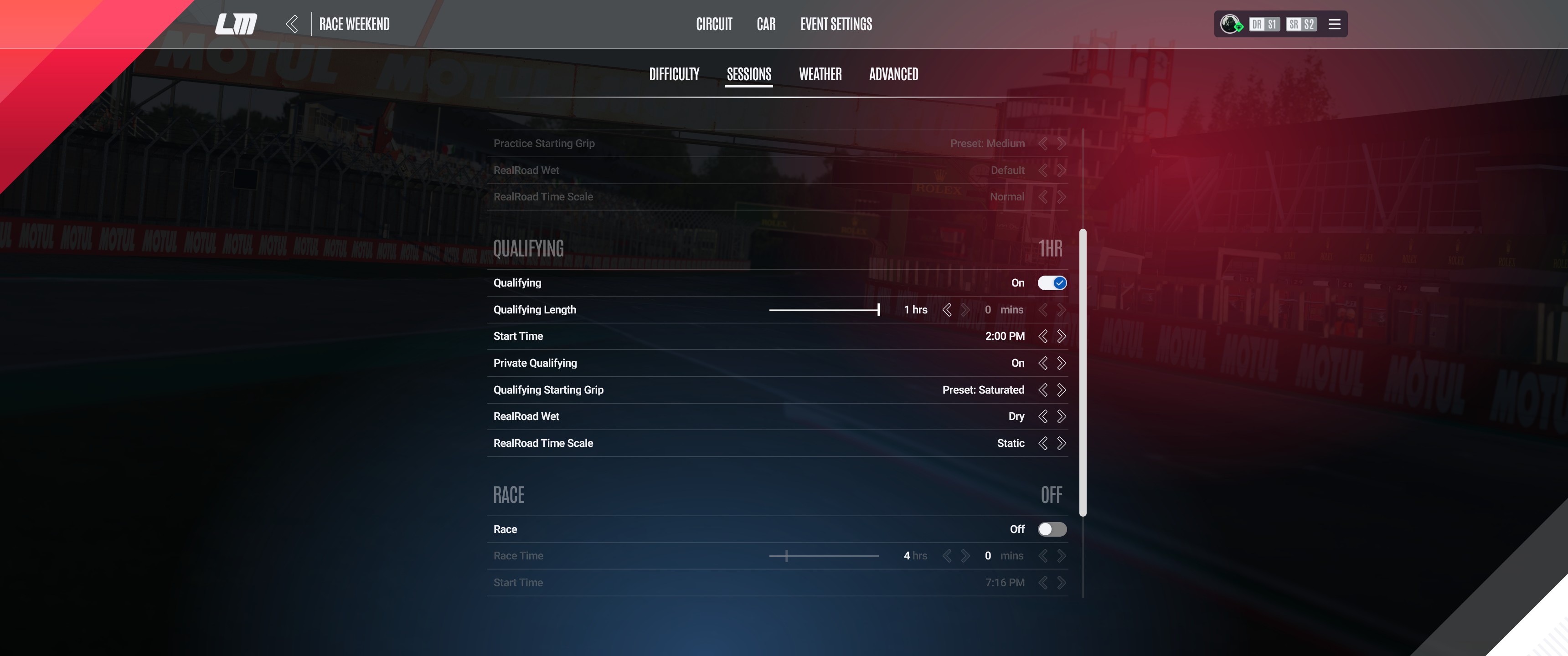
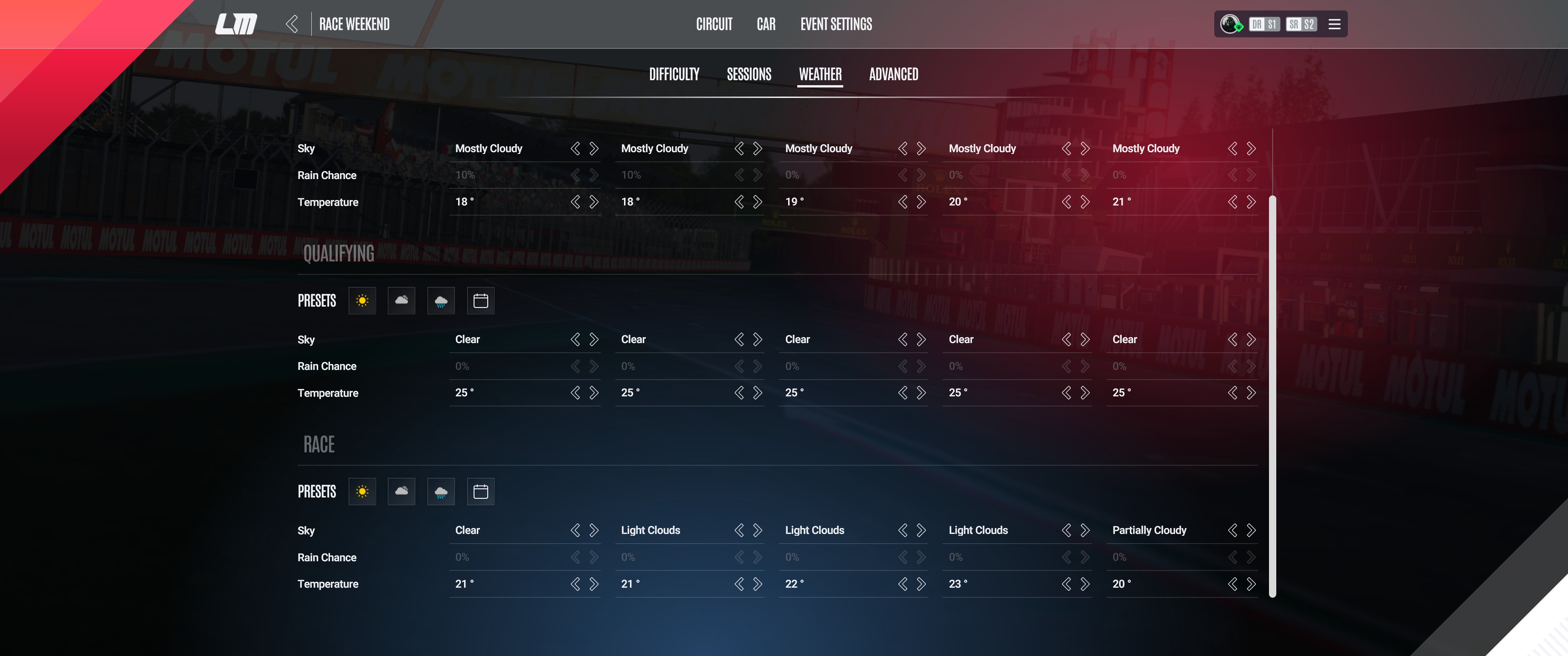
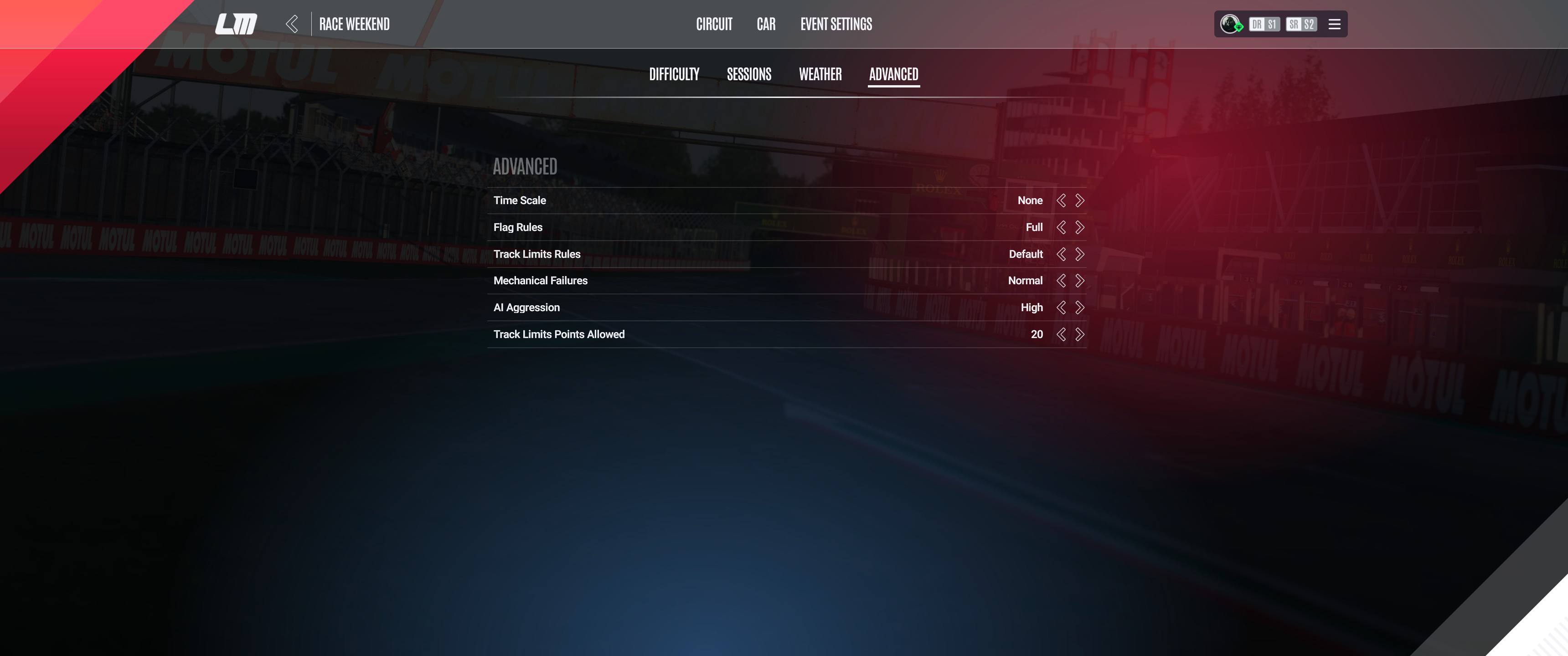
Before entering the session, drivers must verify that all settings match the required targets shown in the Driver Control checklist. The required configuration is as follows:
| Setting | Target |
|---|---|
| Driver Name | Must match your login name |
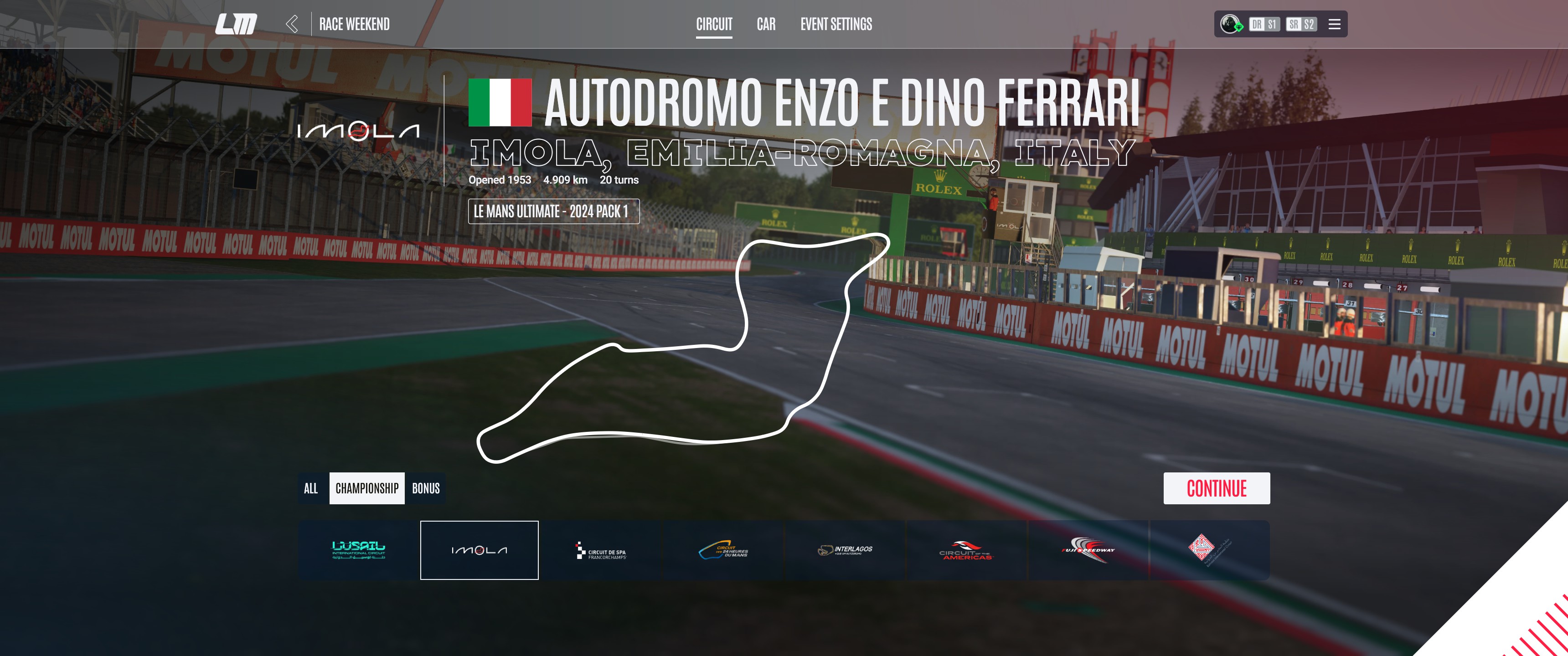
| Track | Imola |
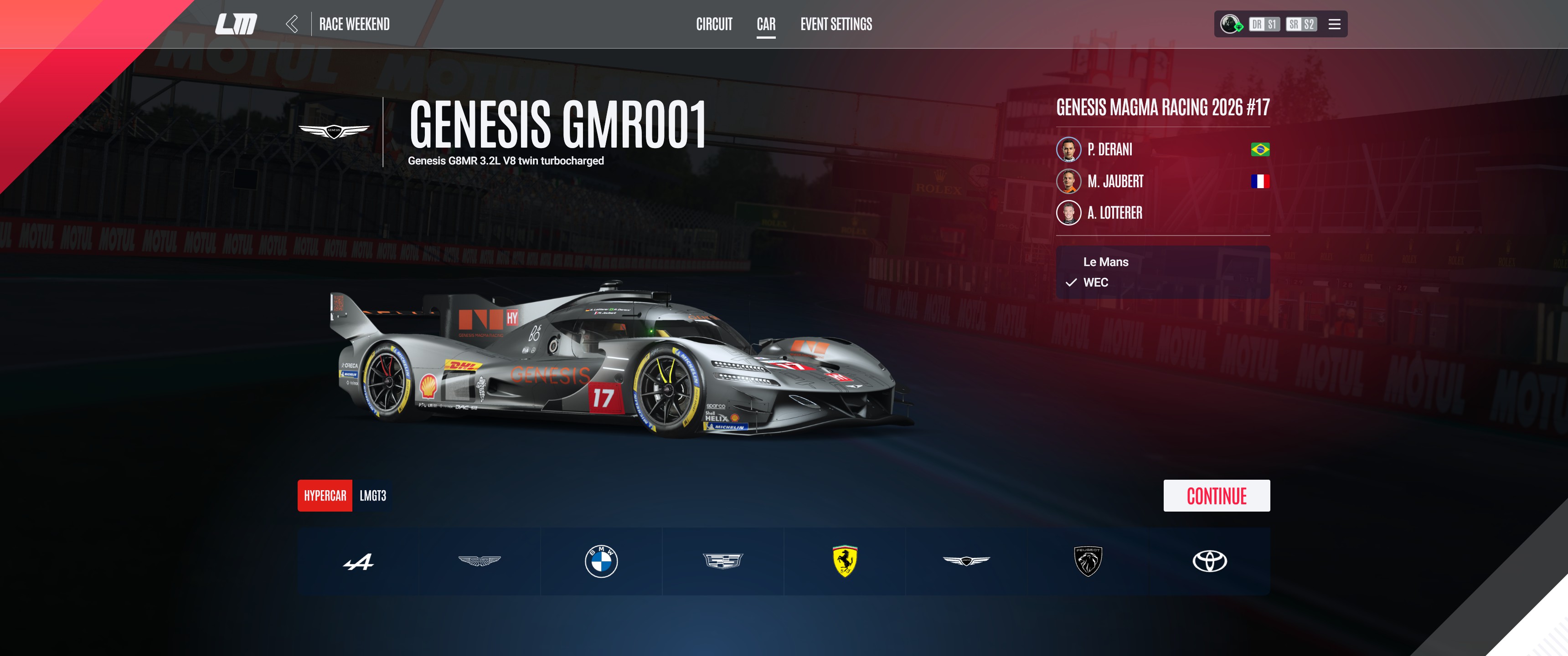
| Car Class | LMGT3 or Hypercar |
| Session Type | Qualifying |
| Setting | Target |
|---|---|
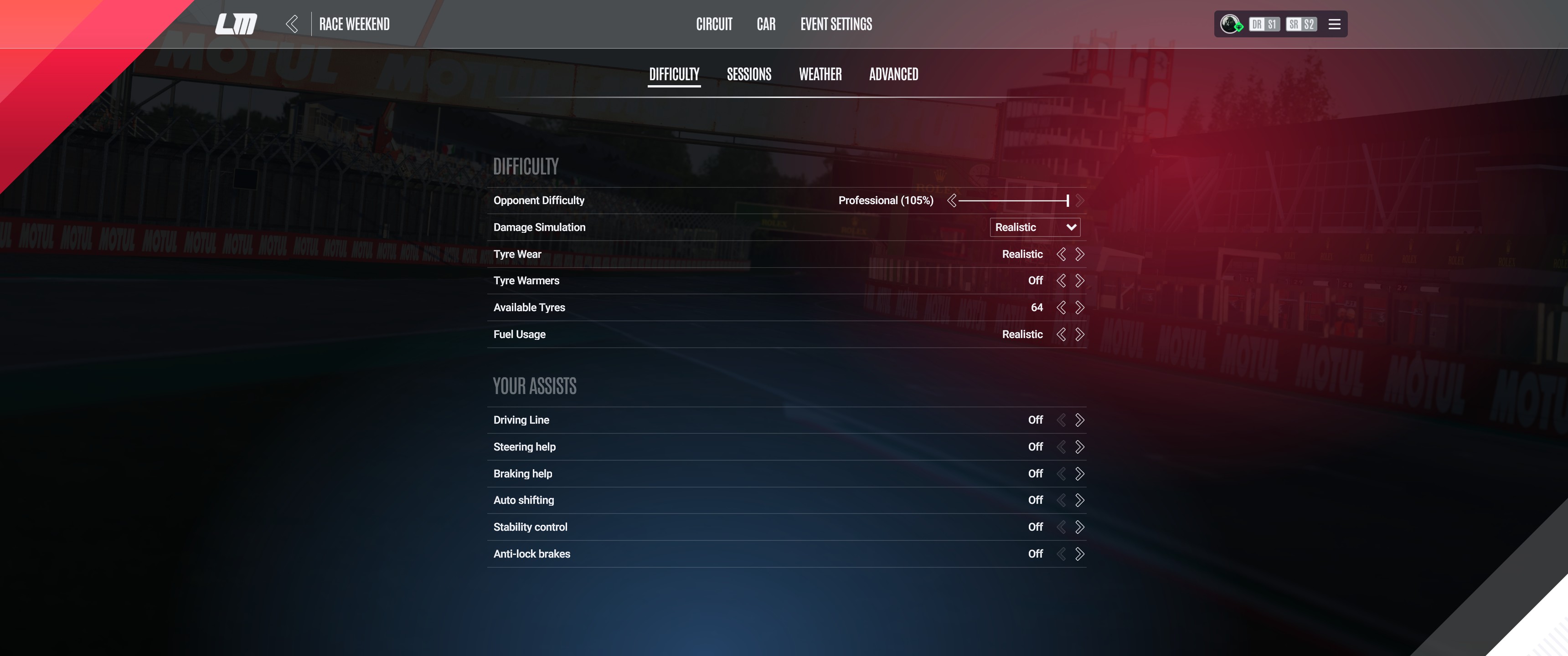
| Damage Simulation | 100% (Realistic) |
| Tyre Wear | Realistic |
| Tyre Warmers | Off |
| Fuel Usage | Realistic |
| Setting | Target |
|---|---|
| Start Time | 14:00 (2 PM) |
| Qualifying Starting Grip | Saturated |
| RealRoad Wet | Dry |
| Real Road Time Scale | Static |
| Setting | Target |
|---|---|
| Sky | Clear |
| Temperature | 25 °C |
| Setting | Target |
|---|---|
| Time Scale | None |
| Track Limit Rules | Strict |
| Setting | Target |
|---|---|
| Tyre Compound | Medium |
| Tyre Condition | Fresh (no wear) |
| Sign Up Start to First Lap Begin Time Max | 2:40 min (Hypercar) / 2:50 min (LMGT3) |
Note: For the tyre checks (compound and wear), press Start Driving in LMU first — these values only update once you are in the car.